 MEMVILO
Stop scrolling.
Type what you remember.
Scenes, dates, places, people, even text inside photos. Write it the way you’d say it, and MEMVILO finds the photo among thousands.
Coming sooniPhone · iOS 26 or later
MEMVILOScenes, dates, places, people, even text inside photos. Write it the way you’d say it, and MEMVILO finds the photo among thousands.
You don’t need exact dates or file names.
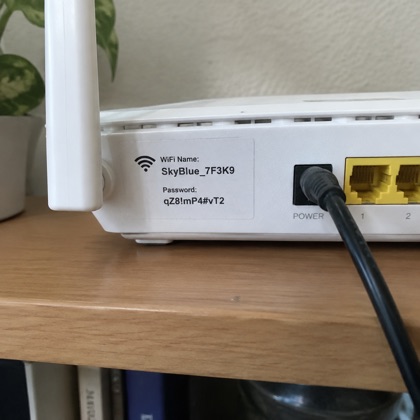
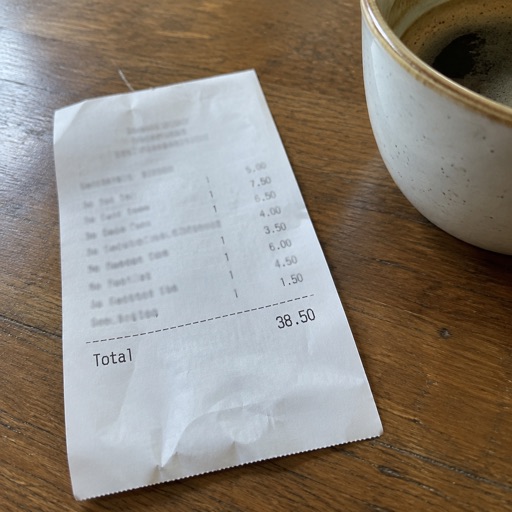
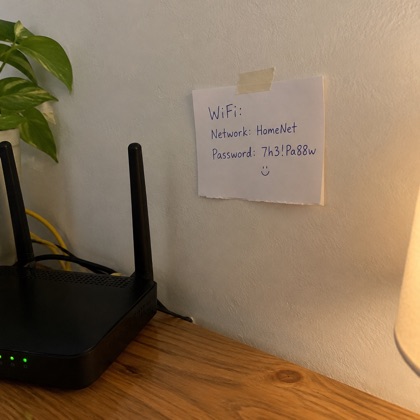
Wi-Fi passwords, receipt totals, dates on documents. Skip the zooming and squinting, and simply ask.
Available on devices that support Apple Intelligence.
Faces of the same person are grouped for you, so you only add a name. Tell MEMVILO about home, work or your shop and search with those words too.
When analysis finishes, MEMVILO looks at your photos and makes you a character card.








Analysis and search all happen on your iPhone.
To get place names, only a photo’s location coordinates are sent to Apple Maps. Privacy Policy
Any iPhone on iOS 26 or later. Asking about a photo needs a device that supports Apple Intelligence.
About 6,000 photos took a little over 3 hours on an iPhone 16. It depends on your library and your phone. Once it has started, you can leave the app.
Analysis and search happen on the device. You need a connection to download iCloud photos, get place names and download translation language packs.
Its records are deleted the next time you open MEMVILO. If you restore it from Recently Deleted, it’s analyzed again.
Yes, in Settings. Turning it off deletes the face records.